
What Is A Warehouse Management System (WMS)? Types & Benefits
If your orders are growing faster than your spreadsheets can keep up, a WMS (warehouse management system) is usually the fix. It turns a warehouse full of boxes into organized, trackable, shippable inventory. It's the software that runs the daily work of a warehouse (receiving, storing, picking, packing, and shipping) so the right product leaves the dock at the right time.
At jam-n, we've spent more than 30 years inside warehouses figuring out what actually keeps freight moving, and the technology behind it. We built this guide to explain what a warehouse management system is, the main types, and the benefits, in plain terms.
TL;DR
The operating system tracks inventory and directs receiving, putaway, picking, packing, and shipping in real time.
A few main types exist, sorted mostly by how they're built and where they live: standalone, ERP module, supply chain suite, on-premises, and cloud-based.
Cloud has become the default because it goes live in weeks, updates automatically, and costs less upfront.
Accuracy, visibility, and labor efficiency are the biggest wins: fewer mispicks, real-time stock counts, and smarter use of your team and space.
Manual tracking breakdown is the clearest signal that you need a WMS. Think of stockouts, overselling, rising errors, or peak-season chaos.
You don't have to buy a WMS: a 3PL partner like jam-n should already run a proven system on your behalf.
What Is A Warehouse Management System (WMS)?
A warehouse management system is software that manages and controls everyday warehouse operations, from the moment goods arrive at a facility until the moment they ship out. In short, it's the digital brain of the building. It knows what's in stock, where each item sits, and what needs to happen next.
A good platform gives you real-time visibility into your entire inventory, both on the shelf and in transit, and adds tools for picking, packing, slotting, labor planning, and reporting. The broader idea of a warehouse management system covers the policies and processes that keep a facility running efficiently, but in practice, most people mean the software when they use the term.
So, what is WMS in warehousing, really? It's the difference between a team guessing where stock might be and a team that knows. That accuracy is the foundation of good logistics, and it's why warehouse management system software has become a core part of modern supply chains.
How A WMS System Works
The software sits on top of your warehouse and guides each step of the order journey. Most platforms handle the same core functions:
Receiving & Putaway: Inbound shipments are checked in, often by scanning GS1 barcodes, and the system directs each item to the best storage location.
Inventory Tracking: Every unit is counted and located in real time, so stock levels stay accurate across every sales channel.
Picking: The system builds pick paths and chooses a method (piece, batch, zone, or wave) based on the order profile.
Packing & Shipping: Orders are packed, labeled, and routed to the right carrier, with tracking synced back to your store automatically.
Reporting: Dashboards turn day-to-day activity into data you can use for forecasting and planning.
📌 RFID scanning is what makes most of this possible. One scan can capture an item, its location, and its quantity, which cuts manual entry and human error.
Types Of Warehouse Management Systems And Examples
When people ask about the types of warehouse management systems, they're usually asking two things at once: how the software is built and where it runs. Here's how the main options compare.
| Type | What It Is | Best For | Example |
|---|---|---|---|
| Standalone WMS | Dedicated software focused only on warehouse functions; integrates with your other tools | Operations that want deep, best-of-breed warehouse capability | A high-volume ecommerce brand using a dedicated WMS to manage thousands of daily DTC orders, optimize pick paths, and sync inventory across its website, Amazon, and retail partners. |
| ERP Module | A warehouse module inside a larger ERP system | Companies standardized on one ERP that want unified data | A manufacturer that wants warehouse activity connected directly to purchasing, production, accounting, and sales orders inside one business system. |
| Supply Chain Suite | Bundled with order management, planning, and transportation tools | Businesses wanting one platform across the whole supply chain | A national retailer managing inventory, fulfillment, transportation, demand planning, and store replenishment through one connected supply chain platform. |
| On-Premises WMS | Installed and maintained on your own servers | Operations needing heavy customization and in-house control | A pharmaceutical, aerospace, or industrial parts facility with strict internal IT policies, complex compliance needs, and highly customized warehouse workflows. |
| Cloud-Based WMS | Hosted online and accessed by browser or mobile device | Most growing brands, fast setup, auto updates, lower upfront cost | A Los Angeles-based importer or ecommerce company that needs real-time inventory visibility, fast onboarding, marketplace integrations, and warehouse access without managing its own servers. |
A cloud-based WMS has become the most common choice for a simple reason: it delivers the same functionality as an on-premises system without the IT overhead. You're up and running in weeks instead of months, you're always on the latest version, and there's no hardware to buy or maintain. For an ecommerce warehouse management system that needs to sync stock across marketplaces and a webstore, that speed and flexibility matter a lot.
⚡ In short: The "best" type isn't universal. It depends on your size, your existing systems, and whether you'd rather own the software or have a partner run it for you.
6 Key Warehouse Management System Benefits
The WMS benefits that matter most show up on the warehouse floor and in your customer reviews. Here's where a good system proves it’s worthy:
Higher accuracy: Guided picking and barcode scanning mean the right item ends up in the right box, so fewer returns and chargebacks.
Real-time visibility: You see exactly what's in stock across every channel to prevent stockouts and overselling.
Labor efficiency: The system optimizes travel time and assigns the right task to the right person, so your team does more without burning out.
Smarter use of space: Slotting logic places fast movers where they're easiest to reach, squeezing more out of the same square footage.
Lower operating costs: Automation reduces errors, rework, and overtime, and tighter shipping decisions trim cost per order.
Room to scale: It handles a peak-season spike the same way it handles a slow Tuesday, just at higher volume.
The WMS software market keeps expanding year over year. The businesses that stay accurate and fast are the ones running on the right systems. So why shouldn’t yours be one of them?
When Do You Need A WMS?
Not every operation needs a WMS on day one. But there are clear signs when it's time. You need a system, usually when every day looks like this:
You're tracking inventory in spreadsheets, and counts keep drifting from reality.
Stockouts and overselling are happening more often than you'd like.
Order errors and returns are creeping up as volume grows.
Your SKU count or sales channels have multiplied, and nothing “talks” to each other.
Peak season feels less like a busy week and more like walking through chaos.
Real-World Example
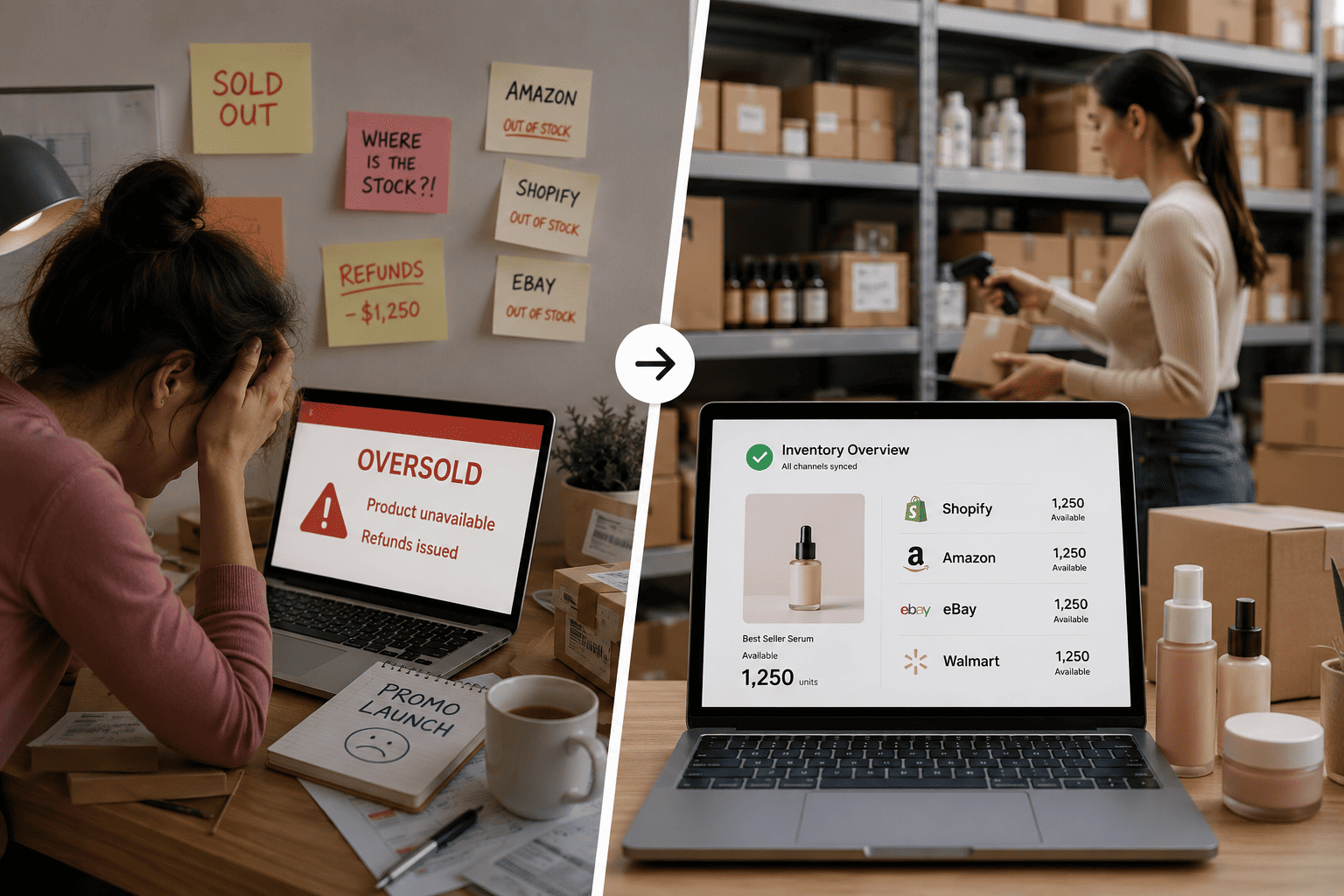
Picture a growing beauty brand selling on its own site, Amazon, and a couple of marketplaces. On spreadsheets, it oversells a bestseller during a promo, disappoints customers, and eats the refunds. The right software would have reserved that stock and synced every channel in real time, turning a chaotic launch into a smooth one.
WMS Features Worth Knowing
If you're comparing platforms, a few WMS features separate a basic tool from a real workhorse. Here are some advanced features to look for:
real-time inventory sync,
rule-based order routing,
guided picking,
cartonization,
carrier rate-shopping,
labor management,
integrations with your ecommerce platforms and ERP.
Many systems also coordinate value-added work like kitting and labeling.
Skip The Software Decision: Run On A 3PL
Choosing, paying for, and managing this kind of software is a real commitment. The good news: you don't have to do it alone, or at all. Partner with a 3PL like jam-n and you get a proven warehouse management system and a team with 30+ years of know-how - without buying a single license.
With Extensiv powering our warehouse workflows, your products keep moving from one reliable source of truth. We give you real-time inventory management, accurate pick and pack, and value-added services like kitting, so your accurate counts turn into orders that actually ship.
Whether you ship 10,000 direct-to-consumer orders or 100,000 cartons to a major retailer, we keep your operation steady, visible, and scalable. Because your shipment matters!
Frequently Asked Questions
What's The Difference Between A WMS And An ERP?
An ERP runs your whole business 9accounting, HR, and purchasing) with a warehouse module bolted on. A WMS is purpose-built for warehouse operations and goes far deeper into picking, slotting, and real-time inventory control.
Is A Cloud-Based System Secure Enough For My Data?
Yes. Reputable cloud platforms include regular security updates, backups, and enterprise-grade protections handled by the provider, which often exceed what a small in-house IT team can maintain on its own servers.
Can One System Handle Both B2B And B2C Orders?
Absolutely. A capable platform routes retail shipments to meet routing-guide and ship-window rules while also fulfilling fast-moving direct-to-consumer orders from the same pool of inventory, so you run both channels from one operation instead of juggling separate tools.
Do I Need My Own Software If I Sell Through A 3PL?
No. Your 3PL partner runs the system for you and gives you a live dashboard for visibility into your stock and orders. You get all the benefits without the license cost or the upkeep of owning it yourself.
How Long Does Implementation Take?
A cloud-based platform can go live in weeks, while complex on-premises deployments may take several months. Working with a 3PL that already operates one means you're up and running almost immediately.
Follow: @jamnlogistics